MCP vs API: What’s the Difference and When Does It Matter?
🎙️ Listen to this article
What this guide covers: The practical difference between MCPs and APIs, explained without jargon — and a simple framework for deciding which to use.
Estimated time: 5 minutes to read
Prerequisites: Claude Code installed. No coding experience required.
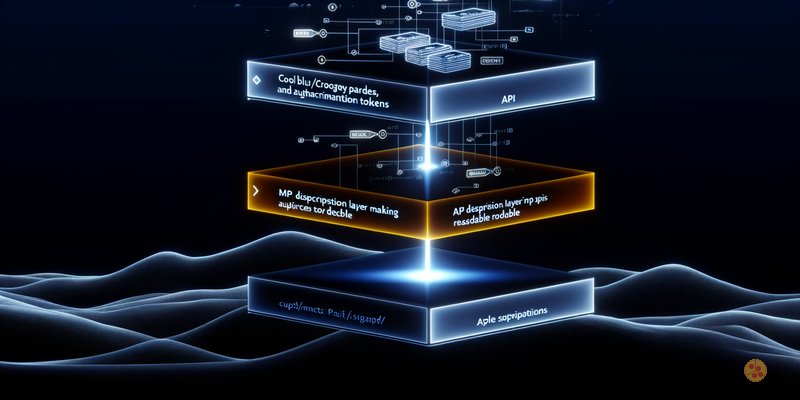
An MCP sits on top of an existing API — it adds descriptions so Claude knows how to use each endpoint without guessing.
Start Here
If you’ve been using Claude Code for more than a week, you’ve probably hit a moment where someone mentions “MCPs” and “APIs” in the same breath — and you nod along while quietly wondering if they’re the same thing.
They’re not. But they’re close. And the difference is simpler than you think.
What’s an API?
An API is a way for one system to talk to another. You send a request, you get a response. That’s it.
When Claude Code pulls your Google Ads data, it’s calling the Google Ads API. When it reads a Notion page, it’s calling the Notion API. Every time you ask Claude to fetch data from an external platform, an API call is happening underneath.
Think of it like a phone call. You dial a number, ask a question, get an answer, hang up. Next time you need something, you dial again.
You say
“Pull last month’s Google Ads spend.”
What happens
Claude constructs a request to the Google Ads API, sends it, gets a response with the data, and presents it to you.
APIs are everywhere. Every platform you use — Shopify, Slack, Klaviyo, GA4 — has one. It’s how data moves between systems.
So What’s an MCP?
An MCP (Model Context Protocol) is a layer that sits on top of an API. It doesn’t replace the API. It wraps it with descriptions that an AI agent can understand.
Here’s the problem MCPs solve: APIs were built for developers. The endpoints have names like GET /v3/campaigns/{campaign_id}/metrics and parameters like date_range_type=LAST_30_DAYS. A human developer reads the documentation, figures out what to send, and writes the code.
An AI agent doesn’t have that luxury. It needs to know:
- What does this endpoint actually do?
- What parameters does it need?
- Where do I find the values for those parameters?
- What format should the response come back in?
An MCP answers all of that. It’s the same API underneath — the same phone call — but with a cheat sheet attached that tells the agent exactly how to use it.
An MCP is an API with a translation layer for AI agents. Same data. Same connection. Just described in a way that Claude can understand without guessing.
A Concrete Example
Say you want Claude Code to read your Slack messages.
Without an MCP (raw API), you’d need to tell Claude:
- The Slack API base URL
- Your authentication token
- Which endpoint to call (
conversations.history) - The channel ID (not the channel name — the API uses IDs)
- How to handle pagination if there are lots of messages
Claude could probably figure most of this out from its training data, but it’s guessing. It might get the endpoint wrong, use a deprecated parameter, or miss a required header.
With the Slack MCP, all of that is pre-described. Claude sees a tool called slack_read_channel with a description like “Read messages from a Slack channel” and parameters like channel_name (not the raw ID — the MCP handles the lookup). The agent knows exactly what it can do, what it needs, and how to call it.
Same API underneath. Dramatically less guesswork on top.
When to Use Which
| Situation | Use | Why |
|---|---|---|
| Platform has an official MCP (Slack, Notion, Google Ads, etc.) | MCP | Pre-built, tested, maintained. Just connect it. |
| You need read-only data from a platform with a well-documented API | Either | Claude can call most APIs directly if you give it the docs. An MCP reduces errors but isn’t always necessary. |
| No MCP exists and you need it regularly | Build a simple MCP | If you’re calling the same API endpoints every week, wrapping them in an MCP saves time and reduces errors. |
| One-off data pull from an unfamiliar API | Direct API call | Not worth setting up an MCP for something you’ll do once. |
| Write operations on production systems (e.g. Shopify) | MCP with read-only scope | MCPs let you restrict permissions. Lock it down so the agent can read but never modify. |
The rule of thumb: if an official MCP exists, use it. If it doesn’t, calling the API directly works fine for most things. Build your own MCP when you find yourself doing the same API work repeatedly.
The Security Bit
This matters more than you think.
MCPs and API integrations both require credentials — tokens, keys, secrets that grant access to your data. Two things to watch:
Official MCPs from platform vendors (Anthropic’s cloud connectors for Slack, Notion, Google Ads, etc.) handle authentication through OAuth. You log in once, grant permissions, done. These are the safest option.
Third-party MCPs from GitHub are a different story. Anyone can publish an MCP server. Some are excellent. Some have zero stars, zero reviews, and instructions that quietly exfiltrate your data. Before installing any MCP you didn’t build yourself:
- Check the GitHub repo — stars, contributors, recent activity
- Read the code, or at minimum read the tool descriptions. If a tool description mentions sending data to an external endpoint you don’t recognise, walk away
- Start with read-only scopes. Never grant write access until you’ve tested thoroughly
- Store all credentials in a secrets manager (like 1Password CLI), never in config files
The same rules apply to skills. A malicious skill can instruct Claude to do things you didn’t ask for. Vet everything that touches your agent.
The One-Sentence Version
An API is how systems talk to each other. An MCP is a description layer that helps AI agents use APIs without guessing. Same data, same connection — just with better instructions on top.
That’s it. Next time someone drops “MCP” in a conversation, you’ll know exactly what they mean — and more importantly, whether you need one.